Patient Hub – Guide for Service Users using a Computer
These are the steps to follow if you are completing the questionnaire on a computer or laptop.
Completing a Questionnaire on a computer or laptop
Step 1
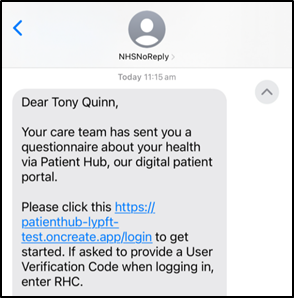
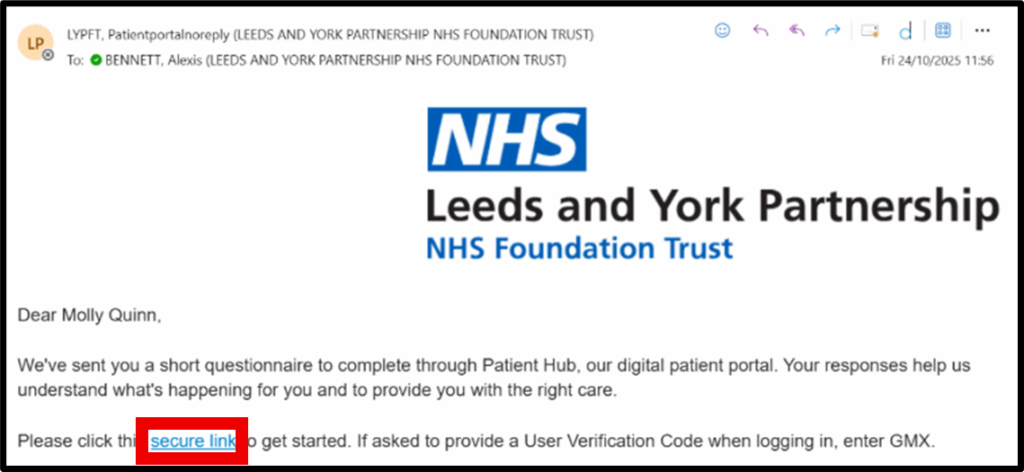
- You will receive a message via text or email.
- The message you receive will have a link to access the Patient Hub, which will be the Patient Portal login page (https://www.leedsandyorkpft.nhs.uk/patient_portal/login).
- When you click this link, you will automatically be redirected to the Patient Hub website (https://patienthub-lypft.oncreate.app/login).
- Click the secure link in the text message to start.
Step 2
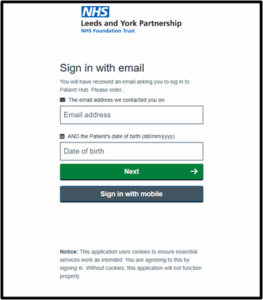
- You will be redirected to the Patient Portal login page.
- Enter your email address and date of birth and click ‘Next’.
- You can also switch to sign in using your mobile number and date of birth by clicking the grey ‘Sign in with mobile’ button.
Step 3
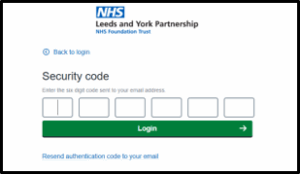
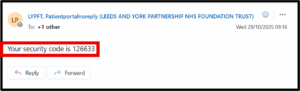
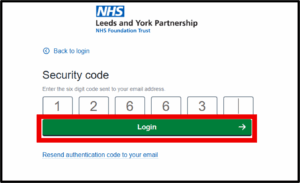
- You will be sent a verification code to the email address (or mobile number) you have entered.
- Copy the code you are sent ready to enter it into the boxes on the next page. You will have about 2 minutes 30 seconds to do this.
- You can click ‘Resend authentication code to your email’ if the code doesn’t come through or it has been more than a few minutes since you received it.
- Enter the code you have been sent into the boxes on the login screen and click Login. Entering the code may also automatically log you into Patient Hub without you needing to click the green login button.
Step 4
- Click on ‘Questionnaires’ (this will also display how many questionnaires you have been sent to answer).

Step 5
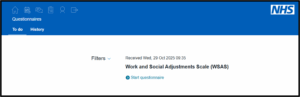
- You will see the questionnaire(s) you have been sent.
- Click ‘Start questionnaire’ for the one you’d like to complete.

Step 6
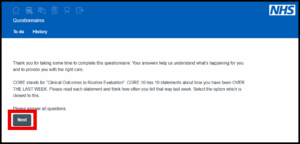
- Read through any instructions and click ‘Next’
Step 7
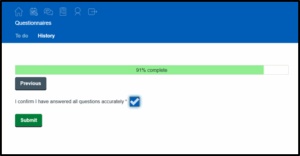
- Answer the questionnaire questions – when you are at the end, confirm that you have answered the questions accurately by ticking the box (click the box to tick it).
- The click Submit.

Step 8
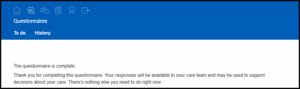
- You will see a page like this after completing the questionnaire. If you have more than one questionnaire to complete, click on ‘To do’ to view any remaining.
Step 9
- Follow steps 5-7 to complete any other questionnaires until this list is empty.
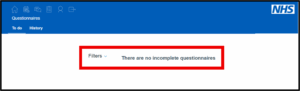
- The page will say ‘There are no incomplete questionnaires‘ when you have no other questionnaires to complete.
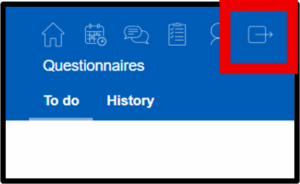
- Click the home icon and click logout to leave Patient Hub safely.